Everyone Says They Can Build With AI Now. Here Is What They Are Not Telling You.
 Inigo Forge
The LinkedIn notification came in at 9:14 on a Tuesday morning. Marcus, a former insurance sales rep with no technical background, had just posted a carousel announcing his new service: “I build custom websites and business management systems — powered by AI.” Forty-three people liked it. Three asked for pricing. One dropped a 🔥 emoji in the comments.
Marcus had never written a line of code in his life. But three weeks earlier, he’d discovered Claude Code, stayed up until 2 AM watching YouTube tutorials, and successfully built a working landing page with a contact form. In his mind — and in the minds of his LinkedIn followers — that made him a builder.
He’s not alone. This is happening everywhere, right now, and it’s changing who gets to call themselves a developer.
The New Gold Rush: Anyone Can Build (Apparently)
There’s a pattern playing out across social media, freelance marketplaces, and agency pipelines that would have seemed absurd five years ago. People with zero formal technical training are marketing themselves as website developers, app builders, and software consultants — not because they’ve learned to code, but because they’ve learned to prompt.
AI coding tools have gotten genuinely impressive. You describe what you want in plain English, and the tool generates working code — HTML, CSS, JavaScript, Python, database queries, API integrations. For someone who’s never touched a terminal, watching this happen feels like magic. And like most magic tricks, the illusion is strongest at the beginning.
The result? A wave of non-technical freelancers entering a market they’ve never actually worked in, selling services they can deliver — up to a point.
The Tools Fueling the Movement
To understand what’s happening, you need to know the tools. These aren’t toys — they’re genuinely powerful, and the list is growing fast:
Agentic Coding Assistants
- Claude Code (Anthropic) — A terminal-based agent that reads your entire codebase, writes code, runs commands, edits files, and executes multi-step tasks autonomously. Currently one of the most capable options for complex coding work.
- GitHub Copilot — Microsoft’s AI pair programmer, integrated directly into VS Code and other editors. Autocompletes code line by line and now includes an agent mode that can handle multi-file edits.
- Cursor — An AI-native code editor built on VS Code. Has a chat interface, inline editing, and an agent mode that can autonomously navigate and modify codebases. Extremely popular among developers right now.
- Windsurf (by Codeium) — A newer AI editor competitor to Cursor, with its own agentic “Cascade” system that can browse the web, run terminal commands, and work across your entire project.
- Aider — An open-source AI coding assistant that works from the terminal. Connects to Claude, GPT-4, or local models. Lightweight and powerful for those comfortable with the command line.
- Devin (Cognition AI) — Marketed as the “first AI software engineer.” Devin can independently plan, code, debug, and deploy software given a single prompt. Still evolving, but a glimpse of where things are headed.
No-Code / AI-Assisted Builders
- Bolt.new — Browser-based full-stack app builder. Describe your app, it generates a complete project with working frontend and backend, deployable in minutes.
- Lovable (formerly GPT Engineer) — Similar to Bolt. Describe your product, get a deployable web app. Focused on speed and non-technical users.
- v0 (by Vercel) — Generates React UI components from text prompts. Feeds directly into production-ready Next.js codebases.
- Replit Agent — Replit’s AI that builds entire apps from a description, inside Replit’s browser-based IDE. No setup required.
- Webflow AI — Design-first web builder with AI features for layout, copywriting, and component generation.
- Framer AI — AI-assisted website builder with strong design capabilities. Generates full pages from a text prompt.
General-Purpose AI That Gets Used for Coding
- ChatGPT (OpenAI) — Millions of non-technical people use it to generate code snippets, debug errors, and get step-by-step build instructions.
- Gemini (Google) — Google’s model with strong coding capabilities, integrated into Google’s developer toolchain.
- Mistral / Local Models (via Ollama) — Open-source models running locally that technically savvy users run for private coding assistance.
That’s a long list. And every few weeks, a new one appears. The barrier to generating functional code has never been lower.
Why It Works — At First
Here’s the uncomfortable truth: for simple projects, it actually works. A landing page? A booking form? A basic CRUD app? A WordPress customization? Claude Code or Cursor can handle that. The output looks professional. The client is happy. Marcus gets paid.
And for that scope of work, maybe that’s fine. Not every website needs a senior engineer. Not every business tool needs an architect. The democratization of building has real value.
But then the scope grows. It always does.
The client says: “Can you add user authentication?” Then: “Can you connect it to our CRM?” Then: “Can you build a dashboard with role-based access?” Then: “We want automated billing and a customer portal.” And suddenly, what started as a landing page is a SaaS product.
And that’s where the illusion starts to crack.
The Part Nobody Talks About: AI Falls Apart at Scale
The marketing around AI coding tools focuses relentlessly on what they can do. The demos are always impressive. The starting point always looks clean. What nobody shows you is what happens at feature twelve.
Here’s what actually happens when you try to build a real, complex system with AI as your only developer:
1. Context Windows Have Limits
AI models can only “see” a limited amount of code at once. Early in a project, when your codebase is small, the AI has full context. It understands everything. It writes coherent, connected code.
But as the project grows — more files, more functions, more interdependencies — the AI starts losing the thread. It can no longer hold the whole system in its head. It writes a new function that conflicts with one it wrote three sessions ago. It forgets the database schema it designed last week. It starts solving the same problem differently in different places.
2. Database Architecture Is Brutal
AI can generate a database schema for a simple use case. But real-world applications have messy, evolving data requirements. Relationships change. Fields need to be added. Performance bottlenecks emerge. What AI generates upfront often needs to be fundamentally redesigned by feature five — and AI is notoriously bad at migrating its own earlier decisions.
You end up with a frankensteined schema: some tables from the original design, some hacked additions, inconsistent naming conventions, missing indexes, and relationships that kind of work but definitely shouldn’t be in production.
3. Features Don’t Exist in Isolation
In a real application, features are deeply interconnected. User authentication affects every route. A billing change touches the database, the API, the frontend state, and the email system simultaneously. An AI building one feature at a time, in isolation, doesn’t naturally account for how that feature interacts with everything else.
The result is a codebase that works feature-by-feature in demos but breaks when those features have to cooperate at scale.

4. Error Loops and Hallucinations
At some point in every complex AI-built project, you hit a wall. There’s a bug the AI can’t fix. It tries one solution. It breaks something else. It tries to fix that. It breaks the original thing again. You’ve watched it loop through the same three “fixes” for forty minutes, each one slightly more confident-sounding than the last, and you’re no closer to a working system.
An experienced developer recognizes this pattern immediately and steps back to reason through the root cause. A non-technical user just prompts again, hoping this time will be different.
5. No Institutional Knowledge
Real development teams accumulate knowledge over time. Why was that decision made? What did we try that didn’t work? Why does this particular component work this weird way? That context lives in engineers’ heads, in documentation, in commit messages, in code reviews.
AI has no memory between sessions (without careful engineering). Every conversation starts fresh. The AI that built your auth system last month has no recollection of why it made the choices it did. Ask it to change something and it’ll rewrite it from scratch — sometimes incompatibly with everything it previously built.
The Real Danger: Clients Who Don’t Know What They Don’t Know
The worst outcome isn’t a bad website. Websites can be rebuilt. The worst outcome is a business that has been handed a “system” — built by a non-technical person using AI tools — that is running their operations, holding their customer data, processing their payments, and managing their inventory.
That system has no documentation. No tests. No proper error handling. No security review. No scalability plan. And the person who built it either doesn’t know these things matter, or knows and doesn’t know how to fix them.
When something breaks — and it will — there’s no one who actually understands what they built. Even the AI can’t fully recover its own reasoning. The business is stuck.
This isn’t a hypothetical. It’s already happening. And as more non-technical “builders” flood the market, it will happen more.
So Where Does This Leave Everyone?
Here’s the nuanced take: AI coding tools are genuinely transformative. They make experienced developers dramatically more productive. They let small teams ship things that would have taken large teams before. They lower the barrier to prototyping and experimentation in ways that are genuinely valuable.
But a tool that makes a surgeon faster doesn’t make a non-surgeon a surgeon.
The people who will use these tools most effectively are the ones who already understand what good software looks like. Who know when the AI is wrong. Who can recognize a database design that will fall apart at a thousand users. Who understand that an API returning a 200 status with an error message inside the body is a problem. Who can read the code and catch the hallucination before it ships.
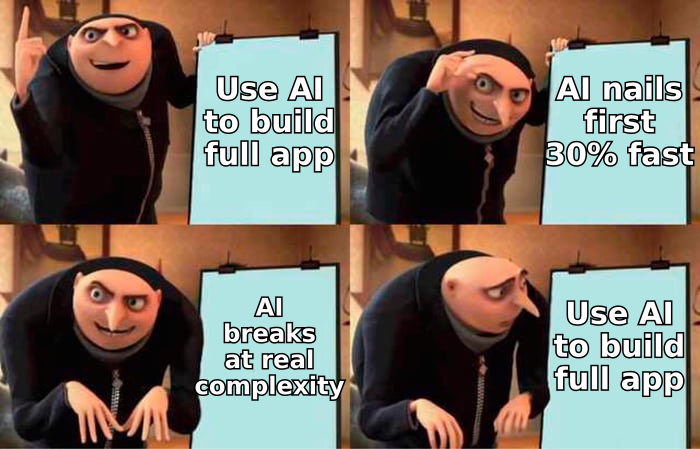
Marcus on LinkedIn is going to take on a client who needs something real. He’ll get 40% of the way there — and it’ll look great. Then he’ll hit the wall. And his client will be left holding a half-built system they don’t understand, built on a foundation that was never designed to grow.
The AI didn’t fail. It did exactly what it was designed to do. The failure was in believing that “can generate code” and “can build software” are the same thing.
They’re not. Not yet. Not even close.
Inigo Forge specializes in AI consulting, business automation, and custom software built by engineers who understand both the power and the limits of these tools. If you’ve inherited an AI-built system that’s falling apart — or you want to build something real from the start — let’s talk.